In short
- It's free, and you can do it yourself in one sitting. Most of it is six screens of questions.
- Two questions matter most. Tell the truth about whether customers visit you and whether you go to them.
- Google picks how you verify, not you. Expect up to five working days before you're visible.
- Being on Google isn't the same as showing up first. This guide covers the first part.
You can set up a Google Business Profile yourself, free, in one sitting. I charge £50 to do it for you, but honestly, most people don't need me for this part. Here's every screen, what to pick, and what to leave for later.
One thing before you start. This guide gets your profile live and verified. It won't get you to the top of the map. That's a different job, and I'll explain why at the end.
Before you start
Have these ready:
- A Google account. Ideally one you use for the business. You can add other people later, or move ownership to a different account, so this isn't a forever choice. Just don't use one you'll lose the password to.
- Your business name, exactly as it's written on your van or sign.
- A phone number that rings you.
- Your website address, if you have one.
Then go to google.com/business and sign in. If Google shows a cookie screen first, either button works.
Step 1: Your business name and category
The first screen asks for two things.
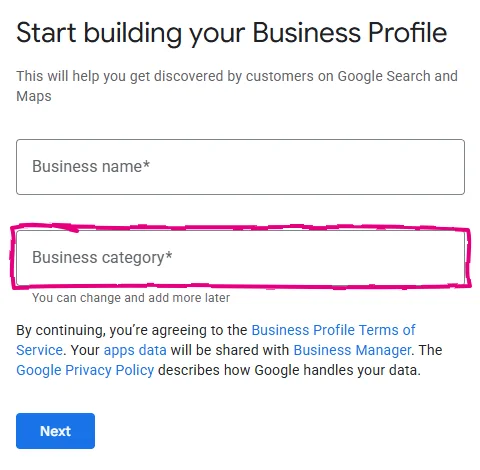
Business name. Use your real name, the one on your sign, and nothing else. Don't add your town or "Best Plumber". Google's rules say your name must match the real world, and a stuffed name is one of the quickest ways to get a profile suspended (Google's guidelines).
Business category. Start typing what you do and choose the closest match from the list. You can change it later, as Google says just below the box. The category you pick really matters for which searches you appear in, but for now, pick the one that most plainly describes your trade.
If Google says a profile already exists for your business, you'll be asked to claim it or request access instead. Follow the prompts.
Step 2: The two location questions
This is where most trades go wrong, so take your time.
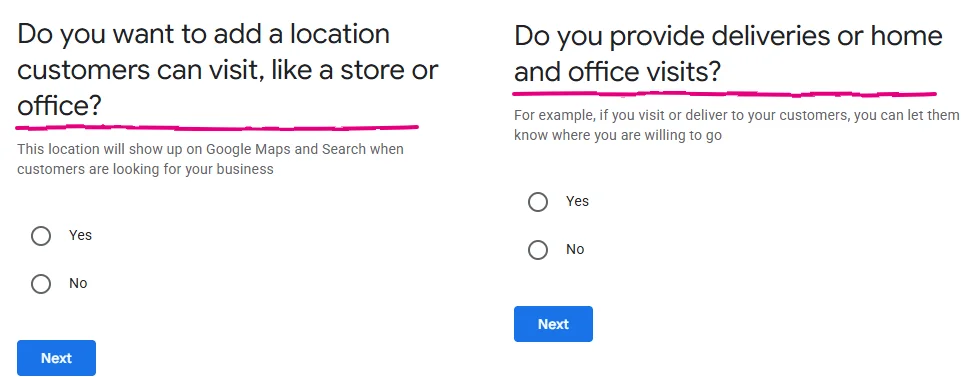
"Do you want to add a location customers can visit?" Answer Yes only if customers come to you: a shop, a showroom or a staffed unit. If you work from home or from your van, answer No. Your address stays hidden.
If you answer Yes, Google shows a map. Drag the pin onto the exact spot your business is.
"Do you provide deliveries or home and office visits?" Answer Yes if you go to your customers, then add the towns or areas you cover. You can add up to 20 (service areas).
A shop that also goes out to jobs answers Yes to both.
Step 3: Contact details
Add your phone number and your website. Use the same number, written the same way, that's on your website, your van and anywhere else you're listed. When they don't match, calls go astray, customers wonder which one is right, and Google says it favours businesses with accurate details. Wrong phone number on Google or Bing? explains how that happens and how to fix it.
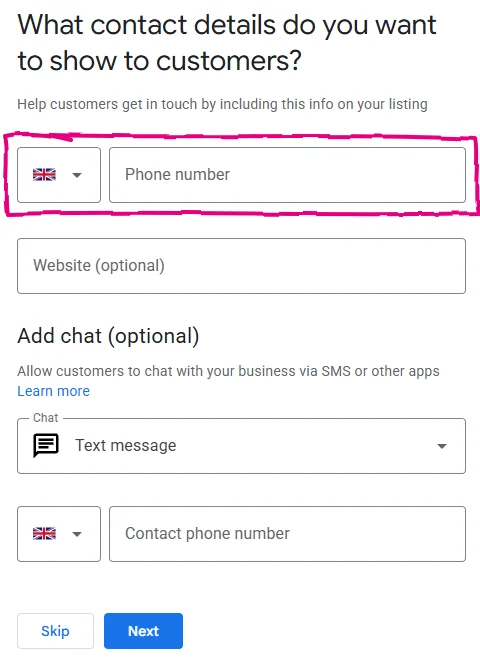
The chat option lets customers text you from the profile. If you won't reply to texts quickly, leave it off.
Next, Google asks if you want tips and updates. Pick either. It doesn't affect your profile.
Step 4: Verification
Now Google checks you're real. Google picks the method, and you can't change it (verification methods). You'll get one or more of these:
- Phone or text: a code sent to your number.
- Email: a code sent to your business email.
- Video: you film your business, or go on a live call.
- Postcard: a code posted to your address.
If you get video, Google wants three things in one continuous clip:
- Where you are. Start outside with a street sign, your signage or a nearby business.
- Your business. Your branded van, your tools, your equipment or stock.
- That you run it. Unlock the van or unit, or show some non-sensitive business paperwork.
Plan the route before you press record. Most failed videos go wrong on the first point.
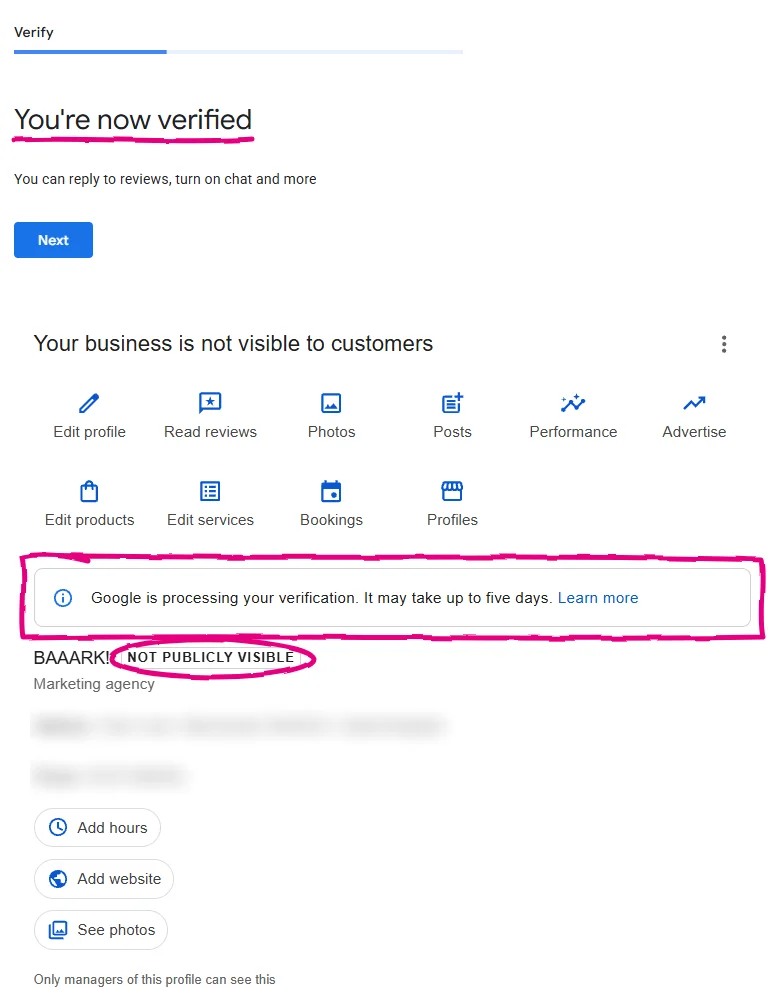
Don't panic about the waiting. On the profile I set up for this guide, Google said "You're now verified", then the dashboard said it was still processing and the profile was not publicly visible. Google says reviews can take up to five business days. Leave it alone while it does.
Step 5: The screens you can skip for now
Before you reach the dashboard, Google offers four more screens: services, opening hours, a description and photos. Each one has a Skip button.
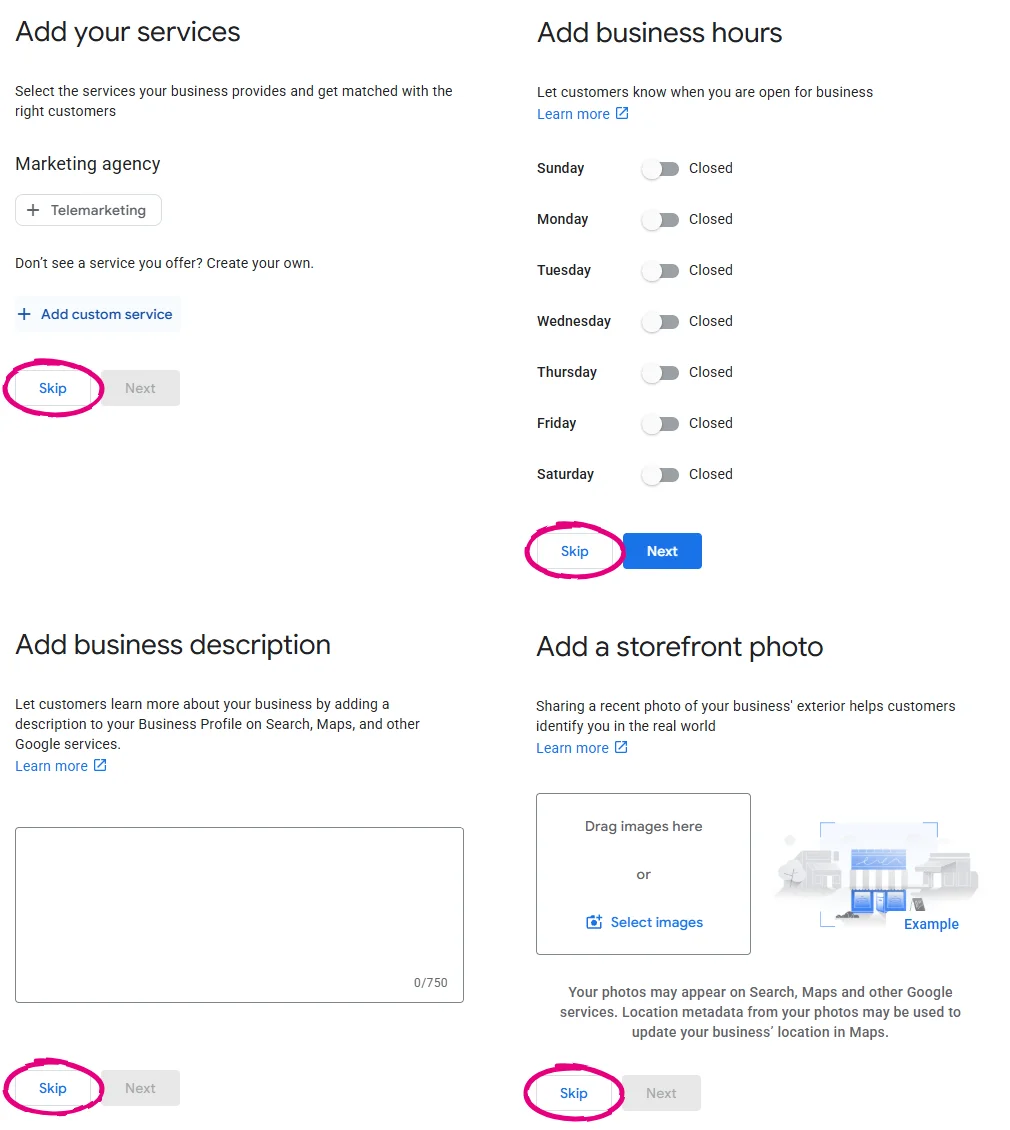
Add your opening hours now if you have fixed hours. The rest you can fill in later.
Just know this is where profiles actually win or lose. Which services to list, what the description says and how, which photos Google tends to show: that's the difference between being on Google and being picked on Google. It's the part I do in an optimise.
You're live. Now what?
Being on Google and being picked by Google aren't the same thing. A new profile is one of dozens in your area, and the ones at the top got there through choices this guide deliberately doesn't cover.
Three things decide it over time (the bigger picture is in what local SEO actually means for a trade business):
- How well the profile is set up. Categories, services, description and photos, checked against the businesses you're actually up against, plus your details matched on Bing, Apple Maps and the directories. That's my Audit + optimise, £500 one-off, and it works on a brand new profile too.
- Whether it keeps moving. Google says more reviews and positive ratings can help your local ranking, and that complete, accurate information makes you more likely to show up (how local ranking works). A profile that's set up and left alone doesn't get new reviews or updates. My keyword and profile care, £150 a month, keeps it going: review requests and replies, updates, and one set of search terms across your profile, website and posts.
- Where you're found. Google weighs distance, so a profile shows best near your address. If you want work in towns further out, a page on your website for each town gives Google a reason to show you there. That's an area page, £150 per town.
If verification beat you, I'll set it up for £50. If you'd rather skip straight to a profile that competes, tell me about your business and I'll take a look. Do I need a Google Business Profile if I have a website? covers why it's worth it in the first place.
Questions people ask
How much does a Google Business Profile cost?
Nothing. Google doesn't charge for the profile. You only pay if you want someone to set it up or improve it for you.
Can I set one up if I work from home?
Yes. Answer "No" when Google asks about a location customers can visit, then add the areas you cover. Your home address stays hidden and the profile shows your service area instead.
How long does verification take?
Google says reviews take up to five business days. On the profile I set up for this guide, Google said "You're now verified" and then showed "processing" on the dashboard, so don't worry if you see both.
Google wants a video but I don't have a shop. What do I film?
Google wants three things: where you are (a street sign or nearby landmark), your business (your branded van, tools or equipment) and proof you run it (unlocking the van or unit, or showing business paperwork). Plan the shot before you press record, and film it in one go.

Born in Petersfield in 1986, now based in Poland. Twenty-five years running real businesses, and now I build websites, local SEO and socials for Hampshire small businesses. Every price I quote is on one page.
Want a straight answer for your business?
Tell me what you do and where. I'll come back within one working day with a fixed price, not a range.